This website is under construction. The product is not yet available.
Use a Laptop as an Extra Display
Don't let your spare laptop gather dust!
Turn your devices into additional desktop space and boost your productivity in no time. Create more room for application windows or run a video alongside.
No Hardware Required
Just install the software in no time!
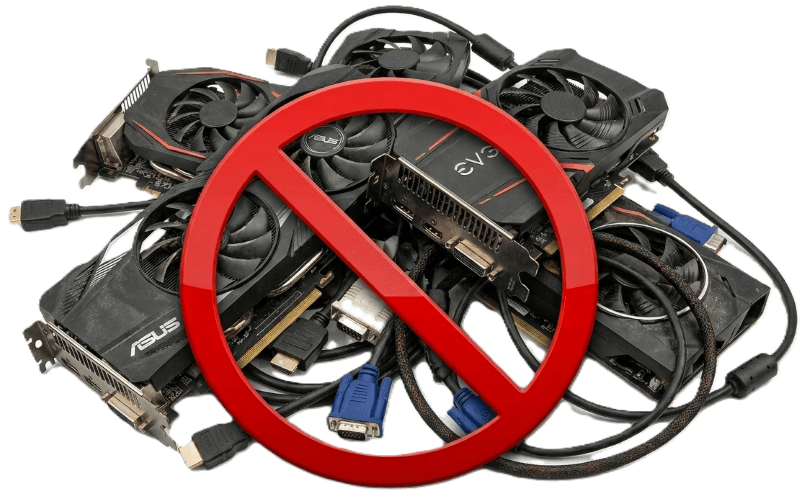
MaxiVista is a software-only solution and does not require any additional hardware or cables. There is no need for an extra video card or complicated cabling. MaxiVista works with your existing equipment and supports both wireless or wired network connections.

Trust the Experience of the Inventor
Pioneering multi-monitor software since 2003.
MaxiVista is the first software on the market to let you use a laptop or iPad as a second monitor. The virtual video card for this application received numerous awards for our innovation from renowned media, including PC Professional, Personal Computer World, TechTV, etc.
How MaxiVista Turns a Second Computer into an Extended Display
Modern work often demands more screen space. A second monitor can make it easier to compare documents, keep communication tools visible, monitor dashboards, edit media, or work across several applications without constantly switching windows.
MaxiVista is software that makes this possible without requiring a physical monitor connection. Instead of plugging an extra display into the main computer with HDMI, DisplayPort, or USB-C, MaxiVista allows another computer to act as an additional screen. The second machine can become part of the main computer’s desktop, just like a normal external monitor.
The basic idea
MaxiVista works by creating a virtual display on the main computer. The operating system believes that an additional monitor has been connected, even though there is no physical display cable attached.
Once this virtual monitor exists, the main computer renders part of the desktop for that display. MaxiVista then captures that screen image, compresses it, sends it over the network, and displays it on the second computer.
In practical terms, the user can move windows from the main computer onto the second computer’s screen as if it were a regular extended monitor.
The main computer acts as the source
The primary computer does the actual work. It runs the applications, manages the windows, renders the graphics, and controls the extended desktop.
MaxiVista installs a display driver or virtual display component on this main machine. This component tells the operating system that another screen is available. The system can then extend the desktop to that virtual screen.
From the user’s point of view, this behaves like adding another monitor in the display settings. The second screen can usually be positioned to the left, right, above, or below the main display. That determines how the mouse pointer moves between screens.
The second computer acts as the receiver
The second computer does not run the main applications. It mainly receives the visual output from the primary computer and shows it in a dedicated MaxiVista viewer.
This receiver computer can be a laptop, desktop, or other compatible machine. Its own screen becomes the display surface for the main computer’s extended desktop area.
The receiver waits for image data from the main computer, decodes it, and draws it on its own screen. In this setup, it behaves less like an independent computer and more like a network-connected monitor.
Image compression is essential
A raw display signal contains a large amount of data. Sending every pixel uncompressed over a network would be inefficient and often impractical.
MaxiVista therefore compresses the screen image before transmitting it. The software may send only changed parts of the screen rather than the entire display every time. For example, if only the mouse pointer moves or a small window updates, only that region may need to be refreshed.
This reduces bandwidth usage and improves responsiveness.
Why this is different from remote desktop
MaxiVista is related to remote desktop technology, but the goal is different.
Remote desktop usually mirrors or controls an existing computer session from another device. MaxiVista instead extends the desktop. The second computer does not simply show the same screen as the main computer. It becomes an additional workspace.
That distinction is important. With MaxiVista, the main display can show one application while the second computer shows another application window from the same main system. It is closer to a multi-monitor setup than to screen sharing.
Typical use cases
MaxiVista is useful when a spare laptop or desktop is available and the user wants more screen space without buying another monitor.
A common setup is a main desktop computer paired with an old laptop. The laptop screen becomes a secondary display for email, chat, reference material, documentation, monitoring tools, or playlists.
It can also be useful while traveling. A user may carry two laptops and temporarily use one as an extended display for the other, avoiding the need to transport a separate monitor.
The user experience
MaxiVista feels similar to using a normal second monitor. The user moves the mouse beyond the edge of the primary display, and the pointer appears on the second computer’s screen. Windows can be dragged across, resized, maximized, and arranged as part of one larger workspace.
The technical process behind this is more complex than a standard monitor cable, but the result is simple: MaxiVista converts an existing computer into extra screen space.
Stay tuned...
First Aid
What is MaxiVista?
MaxiVista is a software solution that allows you to use a second PC, laptop, or tablet as an additional screen for your main PC. It extends your desktop without requiring additional hardware and transmits the screen content via a wireless Wi-Fi or wired Ethernet network connection.
How does MaxiVista work?
MaxiVista is software-based. On the main PC, Maxi-Vista simulates a virtual graphics card that tricks Windows into thinking another monitor is connected. The screen content of this virtual graphics card is sent to the second PC via a wireless Wi-Fi or standard wired Ethernet network connection. No additional hardware is required.
A receiver or viewer component runs on the second PC, displaying the image from the virtual monitor.
Program windows from the main computer can thus be distributed across all screens, including the second PC.
Does MaxiVista require additional hardware?
No. The main advantage of MaxiVista is that it requires no additional monitor hardware, no extra graphics card, and no traditional KVM switch. All you need is a second compatible computer and a working network connection (Wi-Fi or Ethernet) between the devices.
Is MaxiVista safe?
Yes. MaxiVista is operated by a registered company with a business address in Germany. Bartels Media has been offering software from Germany for nearly 25 years and is not an anonymous provider with no verifiable company information.
In addition, MaxiVista is digitally signed. This allows you to verify that the program files originate from the specified publisher and have not been altered without notice since signing.
Data transmission between devices is also optionally encrypted. Image and control data are transmitted securely between the computers involved.
MaxiVista does not transmit any application data to third parties. Everything takes place locally on the computer.
Who should consider MaxiVista?
MaxiVista is ideal for users who want to repurpose an existing laptop or secondary PC as an additional monitor. This is useful in the office, when working from home, during presentations, in development environments, or anywhere else where extra screen space is needed without having to purchase new hardware.
MaxiVista is particularly useful if you already have a second computer that would otherwise go unused. In that case, its screen can be productively integrated into your workspace.
Is MaxiVista the same as a remote desktop program?
No, MaxiVista is not a traditional remote desktop program. Its main focus is on extending your desktop and using a second PC as an additional monitor.
What sets MaxiVista apart from a standard second monitor?
A standard second monitor is connected directly to the main PC via an HDMI, DisplayPort, or DVI cable. MaxiVista, on the other hand, is a software-only solution that uses a second computer and its monitor. No additional hardware is required, including no video cable; the image is transmitted over the Wi-Fi (or Ethernet) network.
When is it worth getting a second monitor?
A second monitor provides more visible workspace. Instead of constantly switching between windows, you can keep multiple programs open at the same time. This saves clicks, reduces interruptions, and makes your workflow more organized.
You also maintain a better overview, for example, when working with large spreadsheets or complex graphics.
MaxiVista makes it especially easy to get additional screen space because it simply repurposes existing hardware. No cables or additional graphics cards are required.